

AI Integration Quick Reference
AI Integration Quick Reference
| Field | Value |
|---|---|
| Packages | @cometchat/chat-uikit-react + @cometchat/calls-sdk-javascript (npm install @cometchat/calls-sdk-javascript) |
| Required setup | Call .setCallingEnabled(true) on UIKitSettingsBuilder during init — Calls SDK must also be installed |
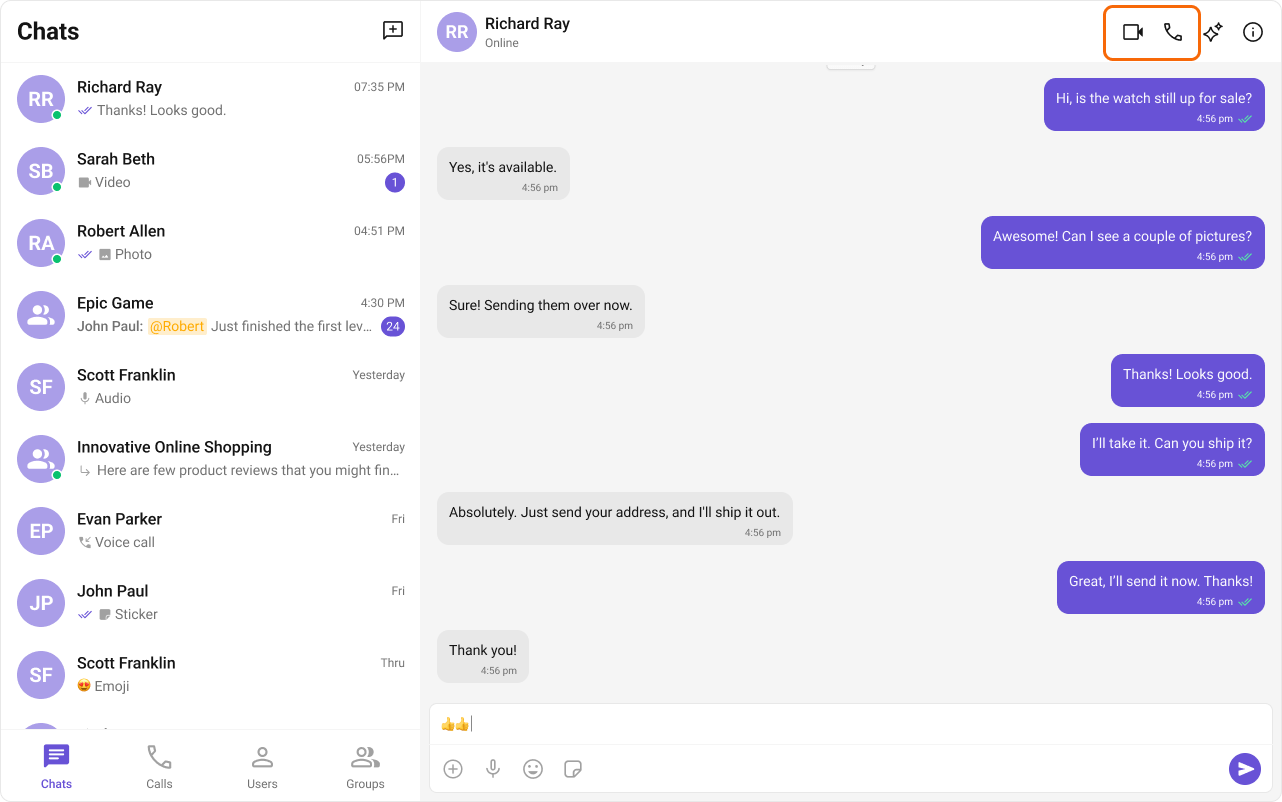
| Call features | Incoming Call, Outgoing Call, Call Logs, Call Buttons (in Message Header) |
| Key components | CometChatMessageHeader → Message Header (includes call buttons), CometChatIncomingCall → Incoming Call, CometChatOutgoingCall → Outgoing Call, CometChatCallLogs → Call Logs |
| Enabling | Set .setCallingEnabled(true) on UIKitSettingsBuilder to activate call UI components |
| CSS class prefix | .cometchat- |
Overview
CometChat Calls integrates 1:1 and group audio/video calling into the React UI Kit. Install the Calls SDK and enable calling via.setCallingEnabled(true) on UIKitSettingsBuilder to activate call components.
Ensure you have called
CometChatUIKit.init() with .setCallingEnabled(true) and CometChatUIKit.login() before rendering. See React.js Integration.Integration
Install the Calls SDK and enable calling:.setCallingEnabled(true) on your UIKitSettingsBuilder:
Features
Incoming Call
The Incoming Call component displays a call screen when a call is received, showing caller info with accept/reject options.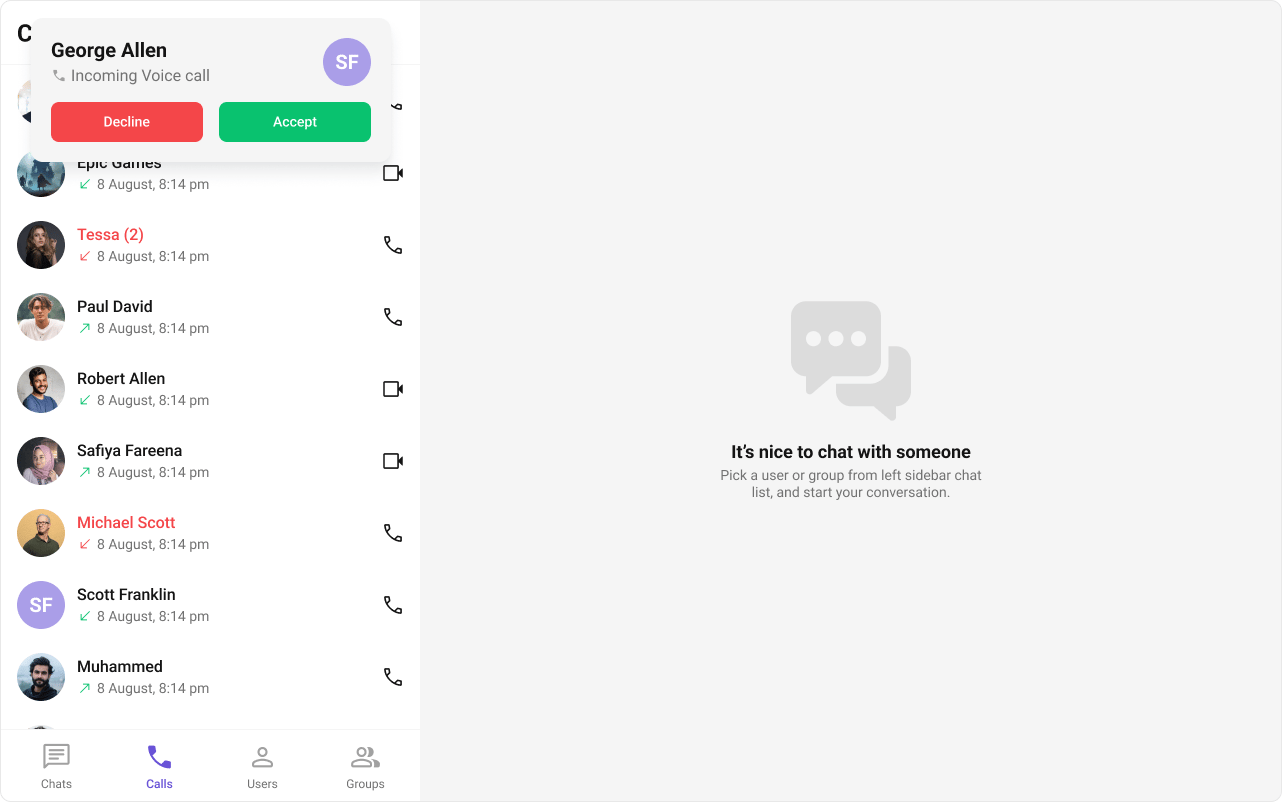
Outgoing Call
The Outgoing Call component displays an outgoing call screen with recipient info and call status. Transitions to the ongoing call screen when the receiver accepts.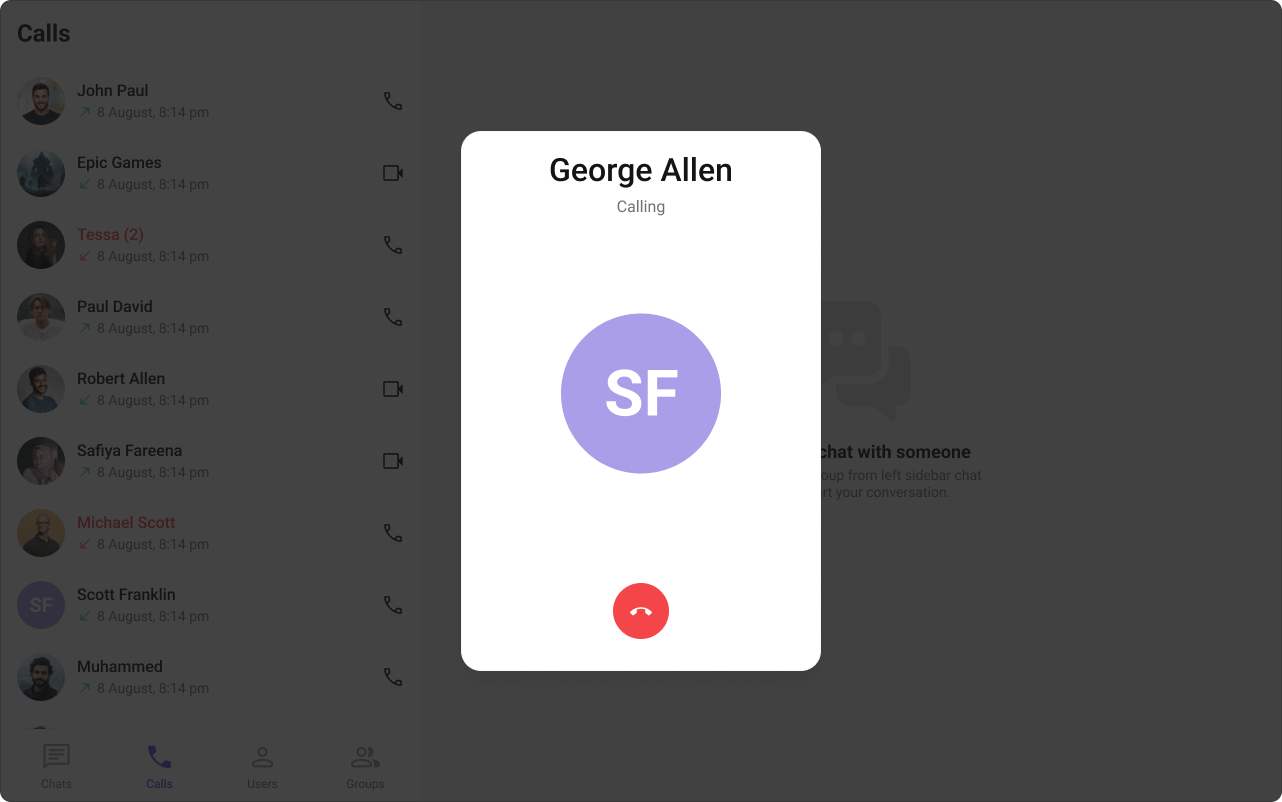
Call Logs
The Call Logs component displays call history — caller, time, and duration.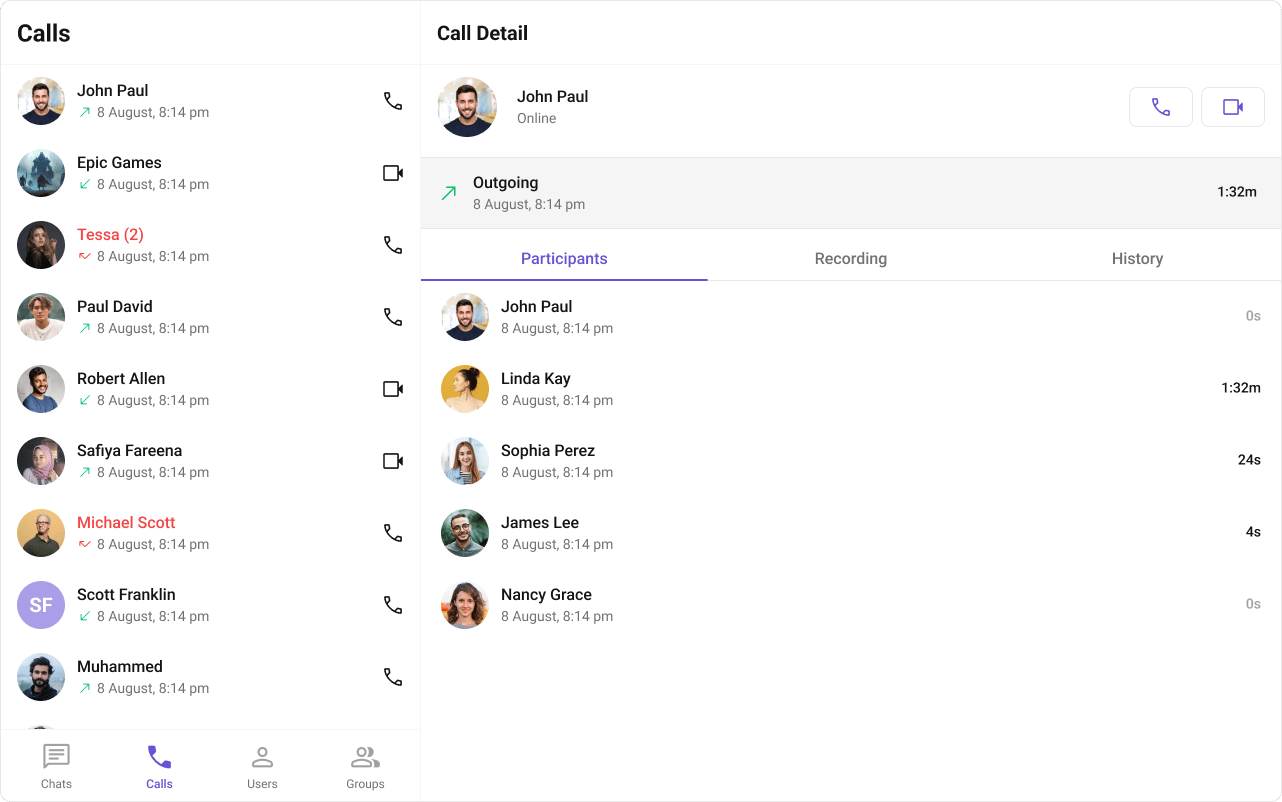
Next Steps
Message Header
Message header with integrated call buttons
Incoming Call
Incoming call notifications and UI
Call Logs
Call history and details
Core Features
Core chat features