

AI Integration Quick Reference
AI Integration Quick Reference
| Field | Value |
|---|---|
| Package | @cometchat/chat-uikit-react v7.0.x |
| Peer deps | react >=18, react-dom >=18, @cometchat/chat-sdk-javascript ^4.1.9, dompurify ^3.3.1 |
| Init | CometChatUIKit.init(UIKitSettings) — must resolve before login() |
| Login | CometChatUIKit.login("UID") — must resolve before rendering components |
| Order | init() → login() → render <CometChatProvider>. Breaking this order = blank screen |
| Auth Key | Dev/testing only. Use Auth Token in production |
| SSR | Use client:only="react" directive — CometChat components cannot be server-rendered |
| Calling | Optional. Install @cometchat/calls-sdk-javascript and call .setCallingEnabled(true) on UIKitSettingsBuilder |
| Other frameworks | React.js · Next.js · React Router |
Prerequisites
You need three things from the CometChat Dashboard:| Credential | Where to find it |
|---|---|
| App ID | Dashboard → Your App → Credentials |
| Auth Key | Dashboard → Your App → Credentials |
| Region | Dashboard → Your App → Credentials (e.g. us, eu, in) |
Step 1 — Create an Astro Project
astro add react, confirm the installation of react, react-dom, and @astrojs/react.
Step 2 — Install the UI Kit
- npm
- yarn
Step 3 — Create the React Island Component
CometChat components live inside a React island (a.tsx file in src/components/). Initialize the SDK, login, then render inside CometChatProvider.
For development, use one of the pre-created test UIDs:
cometchat-uid-1 · cometchat-uid-2 · cometchat-uid-3 · cometchat-uid-4 · cometchat-uid-5
src/components/CometChatApp.tsx
CometChatProvider supplies theme, locale, plugin registry, and event context to all child components. Init and login happen in useEffect and the provider only mounts after login succeeds. See the CometChatProvider guide for all props.
For production, use
CometChatUIKit.loginWithAuthToken(token) instead of login(uid). Generate auth tokens server-side via the CometChat REST API. Never ship auth keys in client code.Step 4 — Render the Island in an Astro Page
Create an Astro page that renders the React island withclient:only="react". This ensures the component only runs in the browser — no server-side rendering.
src/pages/index.astro
Step 5 — Run
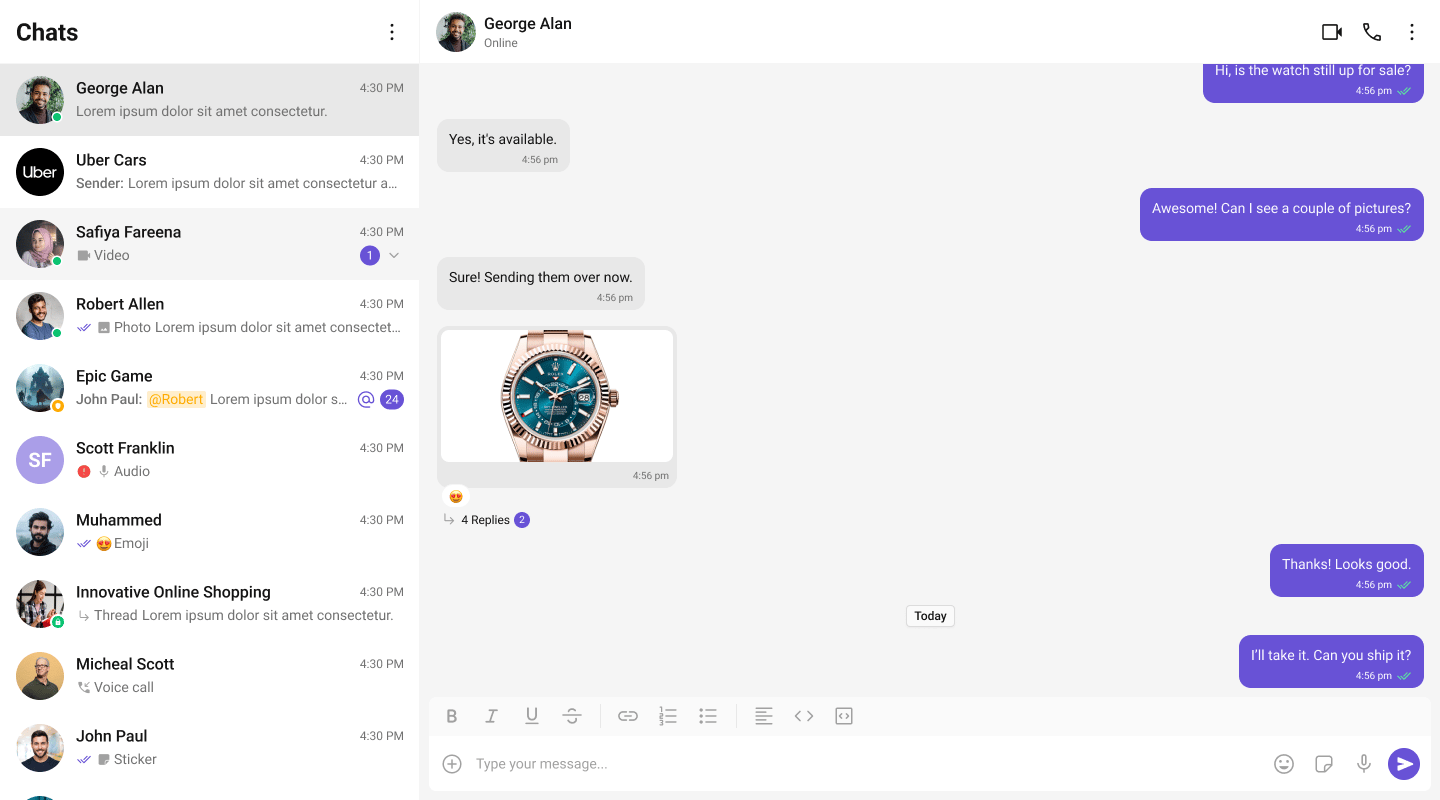
http://localhost:4321. You should see the conversation list on the left. Click a conversation to open the message panel.
Choose a Chat Experience
Conversation List + Message View
Two-panel layout — conversation list on the left, messages on the right.One-to-One / Group Chat
Single chat window — no sidebar. Good for support chat or embedded widgets.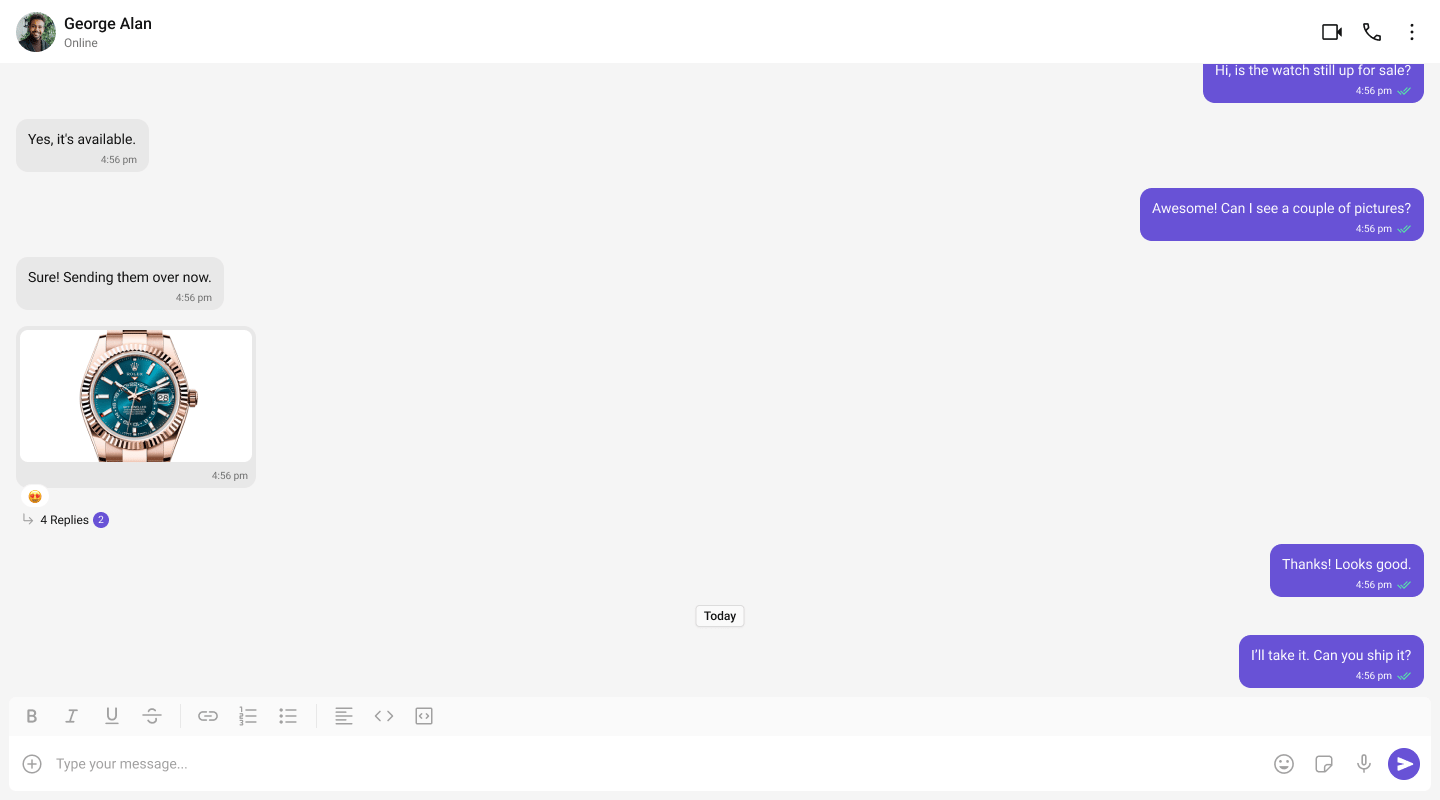
Tab-Based Chat
Tabbed navigation — Chat, Call Logs, Users, Settings in separate tabs.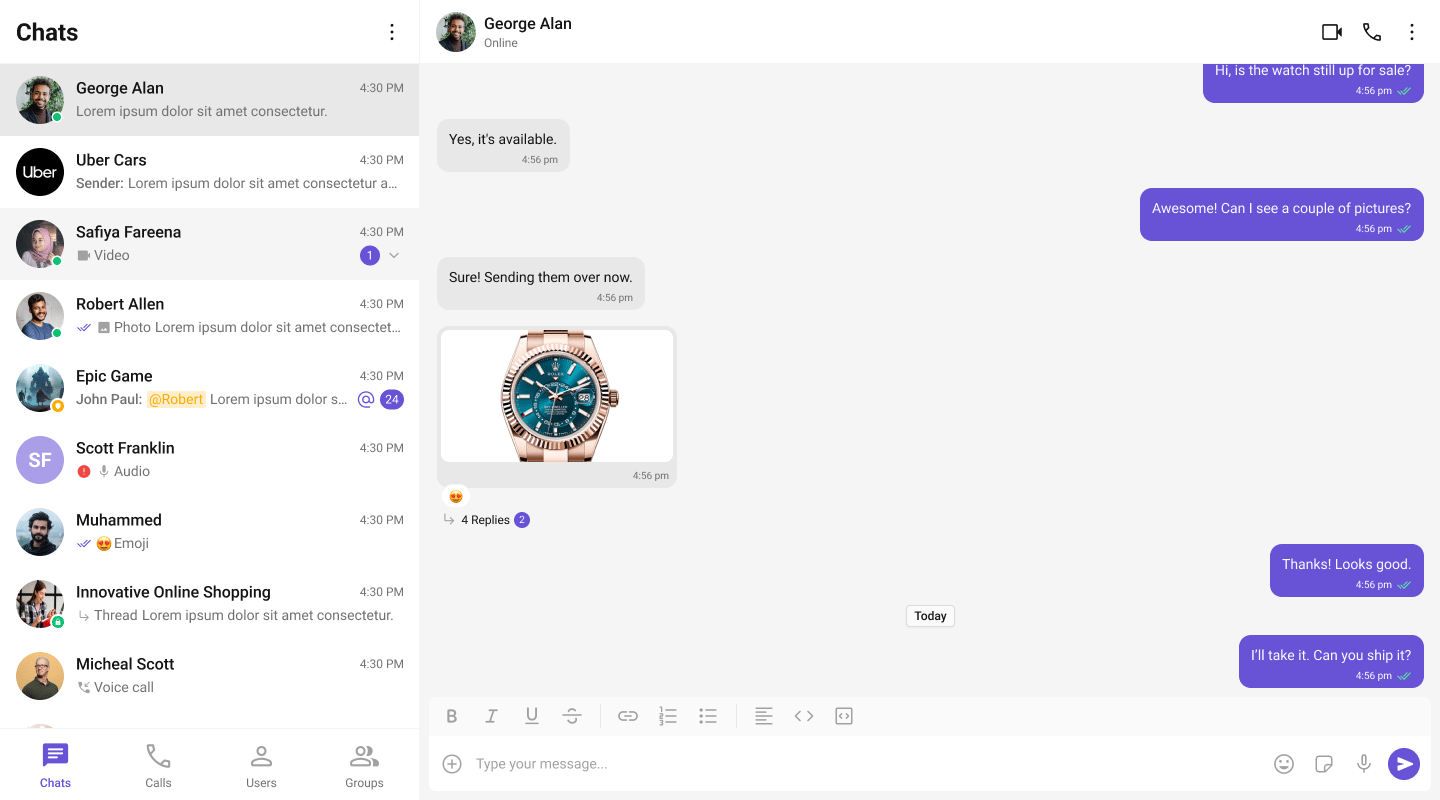
Build Your Own Chat Experience
Need full control over the UI? Use individual components, customize themes, and wire up your own layouts.- Sample App — Working reference app to compare against
- Components — All prebuilt UI elements with props and customization options
- Core Features — Messaging, real-time updates, and other capabilities
- Theming — Colors, fonts, dark mode, and custom styling
- Build Your Own UI — Skip the UI Kit entirely and build on the raw SDK
Next Steps
Components Overview
Browse all prebuilt UI components
Theming
Customize colors, fonts, and styles
Plugins
Customize message rendering
Troubleshooting
Common issues and fixes